Video is an effective choice for a training message that stays put: an executive welcome, a high-level company story, or a core visual demonstration that every employee watches in the exact same sequence. Produce it well, and the finished media file is easy to host and share.
The friction begins when the material has to change. Policies update, product features evolve, regional compliance requirements shift, and learners need explanations tailored to their role. With pre-rendered video, every revision triggers a familiar production cycle: re-recording voiceover, re-rendering video timelines, re-exporting large files, and re-uploading assets across your learning management system (LMS).
That is where an embedded interactive avatar changes the equation: keep a consistent visual presenter in the course or application, and change the spoken words dynamically whenever the lesson changes.
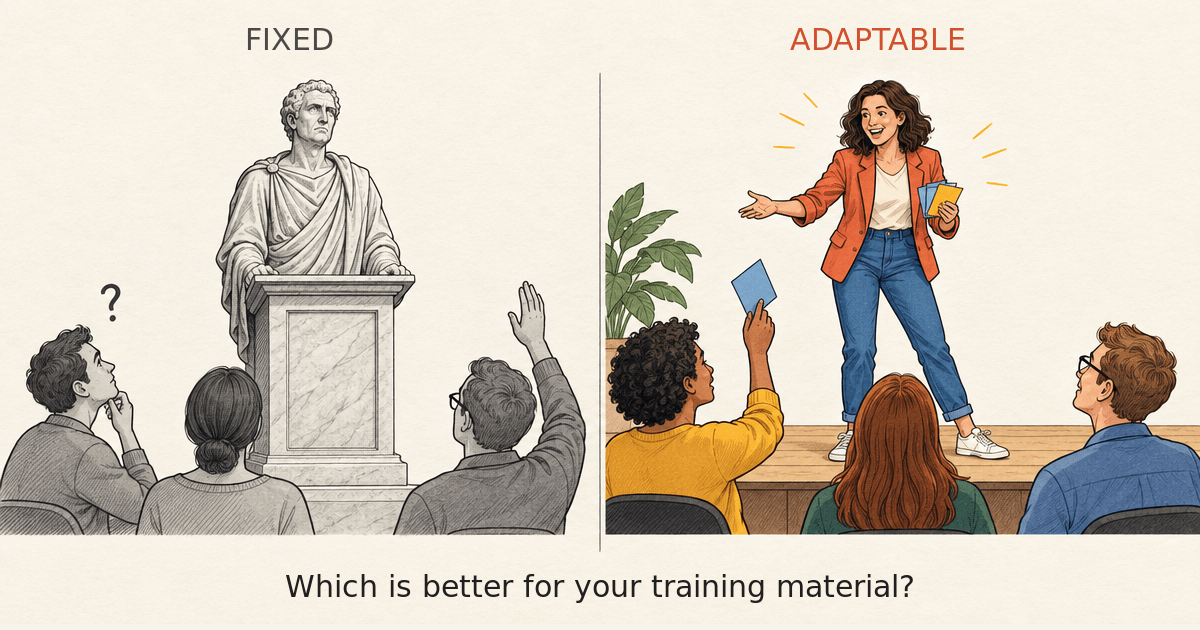
The format follows the job
A rendered video bakes narration, pacing, and visuals into a static media file. It excels when the storyline is strictly linear, offline playback is required, or a fixed corporate message must reach everyone identically. But if a single policy or product feature changes next month, you cannot simply update the text—you must produce and distribute a new video file. Multiply that by the number of videos in a course, the number of courses your organization maintains, and the number of regional localizations you support. The effort quickly becomes Herculean.
This narrative should come as no surprise. We’ve all been doing exactly that for a generation.
But using an embedded avatar changes the paradigm. Running client-side in the browser, the avatar is an interactive interface whose speech and behavior are driven dynamically at runtime. It remains anchored on the screen while the lesson content updates behind the scenes. That makes it ideal for evolving training programs, regionalized curricula, and personalized guidance that cannot be pre-recorded for every potential scenario.
Importantly, this is not a claim that video cannot be interactive. Branching video exists, as do server-rendered streaming avatars. The real operational distinction is between maintaining rendered media assets for every variation versus embedding a lightweight presenter whose spoken dialogue is controlled dynamically by data.
Practical architecture: Building database-driven training modules
How can this be done in practice? Instead of hardcoding audio tracks into slide templates or baking video files into course pages, SitePal’s client-side APIs decouple the visual presenter from the underlying script. This enables training teams to build dynamic, database-driven learning modules:
• A central content repository: Spoken text for each slide, screen, or policy module is stored in a database or content management system (CMS). When an instructional designer or subject matter expert updates a procedure, they update the text in the repository. The embedded avatar speaks the updated content immediately upon the learner’s next page view—with zero video re-rendering, zero asset re-uploading, and zero engineering cycles.
• Instant localization: Modern organizations train global workforces across dozens of regions. Because the avatar speaks text dynamically at runtime, scripts in the central repository can be machine-translated into localized languages. SitePal’s presenter delivers the localized speech on the fly, eliminating the need to book multilingual voice talent or manage duplicate video tracks for each territory.
• Voice realism without studio recording: Concerns over robotic, mechanical text-to-speech belong to yesteryear. SitePal is pre-integrated with premier modern voice engines—including ElevenLabs, Google Cloud Voices, and Amazon Polly. These neural models deliver lifelike intonation, natural inflection, and expressive pacing, giving dynamic training modules the vocal presence of professional narration without the logistical overhead of a recording studio.
• Synchronized distribution across stakeholders: The result is a centralized training delivery loop. Trainers and compliance managers push verified updates to the database; trainees immediately hear the updated lesson across regions and devices.
Turning the presenter into an interactive mentor
Updating prepared scripts is only the first half of the equation. Even the most thorough training module cannot anticipate every question a learner might have.
In a video-first module, the interaction ends when the playback bar reaches the end. But because a SitePal avatar is an active software component rather than a static media file, the presenter can transition seamlessly from structured narrator to interactive mentor:
• Structured narration during the lesson: Throughout the core module, the avatar acts as a guided presenter, walking the learner through slides, demonstrations, and key concepts in a clear, consistent manner.
• On-demand interactive Q&A: At the end of the module—or whenever a learner pauses for clarification—the avatar can switch into interactive mode. Trainees can ask questions in natural language using voice or text.
• Built-in AI integration: SitePal features built-in AI Assistants directly connected to its 3D avatars, making this capability straightforward to integrate with minimal effort. By grounding the assistant in approved and up-to-date training materials, product documentation, or course FAQs, organizations can provide learners with an intelligent speaking tutor that answers questions accurately and in context.
For instructional designers, this hybrid approach preserves essential governance. Mandatory policies, regulatory disclosures, and scored assessments remain fixed, scripted, and verified. Meanwhile, exploratory practice, edge-case questions, and remedial explanations are handled interactively by the AI assistant.
How the economics change
The meaningful metric for training teams is not the cost of producing an initial video clip. It is the cumulative cost of keeping a training catalog accurate, compliant, and engaging across dozens of revisions, roles, and languages.
For fixed, one-to-many corporate announcements, traditional static video remains an effective investment. But for operational training that changes frequently, maintaining an ever-growing library of pre-rendered video variants introduces steep production burdens, version control risks, and cloud streaming overhead.
By rendering client-side in the browser, SitePal eliminates the recurring costs of generating and streaming photorealistic video files for every script variation. The presenter stays in place; the words evolve on demand. Once this architecture is in place, the ongoing maintenance burden drops dramatically.
Crucially, new content creation accelerates just as fast. Instead of coordinating recording sessions, screen capture, and timeline edits for every new course, instructional designers author new modules directly as text in the repository. The visual stage, interactive controls, and voice pipelines are already live—turning course creation from an expensive multimedia production cycle into a fast, manageable authoring workflow.
Evaluating your training needs
Before choosing a media format for your next course, consider:
• Update frequency: How often will this material change, and who is responsible for keeping it current?
• Data-driven delivery: Would your team benefit from managing spoken scripts in a central database or CMS rather than within media timelines?
• Creation velocity: Can your subject matter experts deploy new modules directly as text, or does every rollout require a full video production pipeline?
• Personalization & localization: Does the content require regional variations, role-specific tracks, or multi-language delivery?
• Two-way engagement: Would learners benefit from asking questions and receiving immediate clarification from the presenter at the end of the lesson?
• Content governance: Which statements must remain strictly scripted and approved, and where can conversational AI support deeper comprehension?
Use video when the message is fixed and permanent. Use an interactive avatar when training needs to stay dynamic, responsive, and easy to maintain. Often, the most effective learning experiences pair the two together.
See How Dynamic Avatars Work in Practice
Explore how SitePal embeds lightweight, responsive speaking avatars that connect directly to your LMS, CMS, and AI assistants.
Explore SitePal’s Interactive Avatars → (sitepal.com)